

Run camp without the whiteboard.
HuntDocs tracks every cabin, wall tent, and bunk as a bookable unit — so you always know who's sleeping where, and you never double-book a bed.
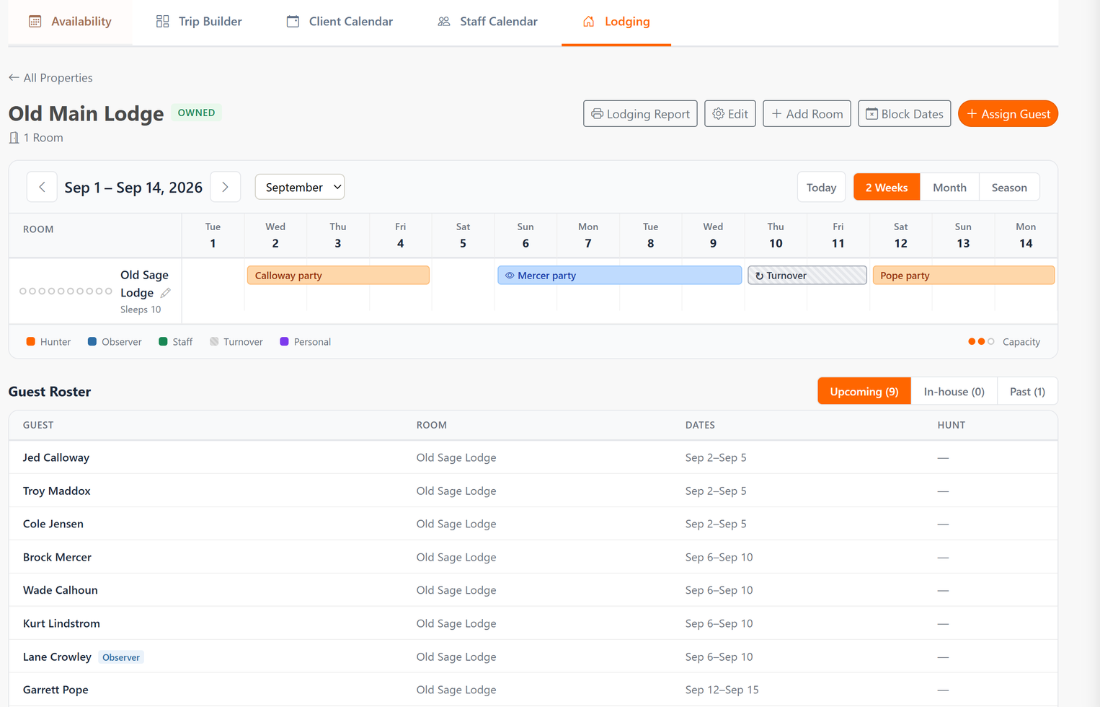
Every cabin, tent, and bunk — managed like a real property
Most outfitters run lodging on a whiteboard, a spreadsheet, or memory — and it works right up until two parties show up for the same cabin. HuntDocs treats every place a hunter sleeps as a bookable unit, across every kind of property you run.
Every property type
Owned lodges and cabins, contracted hotels, temporary spike camps, even lodges your guides bring to the table.
No double-bookings
Automatic conflict detection means a unit that's already taken can't be handed out twice.
Smart assignment
Match a party to rooms with enough beds — it won't put two hunters in one bed — and assign a whole group at once.
Turnover & manifests
Block units for turnover or repairs, and print an occupancy manifest for camp.
Never double-book a bed
HuntDocs checks every reservation and maintenance block against the dates you're assigning, so a clash surfaces the moment it would happen — not when two trucks pull into the same camp. A unit that's already taken simply can't be handed out twice, and the occupancy board keeps the whole season in front of you.
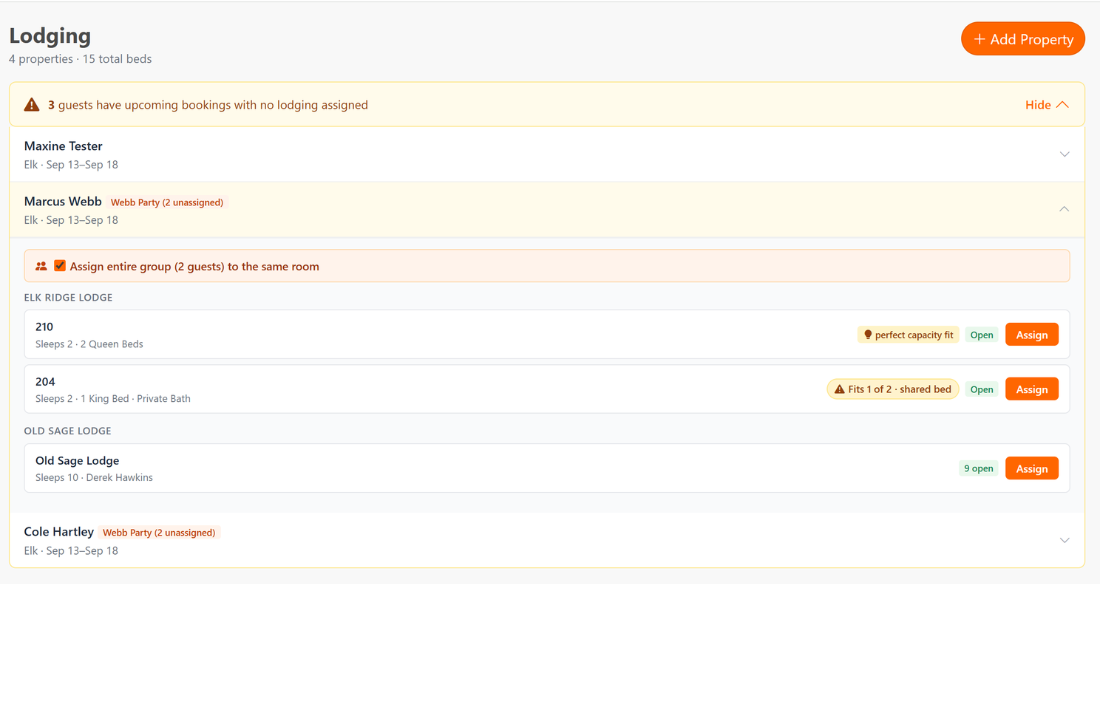
Put the right party in the right unit
Tell HuntDocs who's coming and it scores your rooms by fit — party size, who's hunting, who's along as a companion, and how many beds each room actually has. It points you to the right room and flags the wrong one — like two hunters who'd have to share a single king. Assign a whole group in one move, or shuffle guests between rooms when a party won't otherwise fit.
- Match the party to rooms with enough separate beds — never two hunters in one bed
- Assign an entire group in one move
- Shuffle guests between rooms to fit a party that won't otherwise
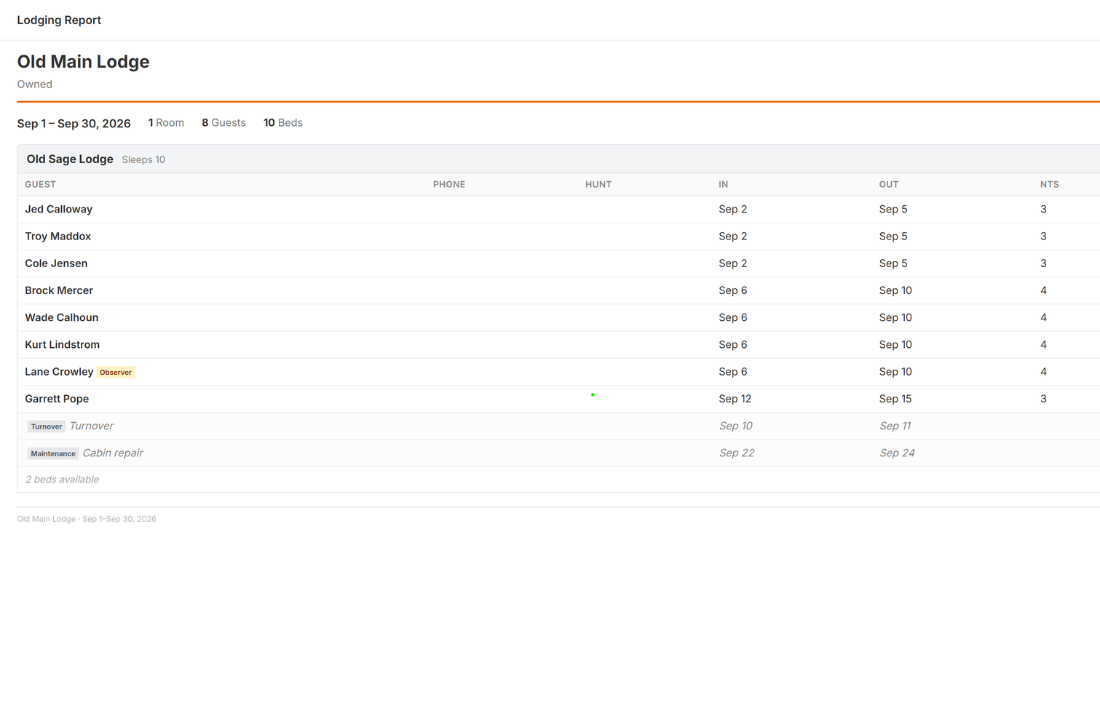
Turnover, repairs, and a manifest for camp
Block a cabin for turnover between hunts, flag a wall tent that needs a repair, or close a property for the season — and HuntDocs keeps those days off the board so nothing books into them. Set default turnover times per property so the schedule reflects how your camp actually runs, then print an occupancy manifest so you, your camp manager, or your cook know exactly who's where.
- Turnover, maintenance, seasonal-closure, and owner-use blocks
- Per-property turnover times
- Printable per-property occupancy manifests
Part of the same platform you book and bill in
Lodging lives inside the same HuntDocs you already use for booking, payments, staff, and reporting — so camp logistics sit right next to the hunts they belong to, not in a separate spreadsheet.
Lodging software: common questions
Ready to run camp without the spreadsheet?
See how HuntDocs keeps every cabin, tent, and bunk straight all season.
Get Started